

Every Recipe You Love, in One Place on Your PC
Bring in recipes from websites and other recipe apps, plan the week, and cook step by step with large text. SpoonShelf keeps your library on your PC, with no account.
- $24.99 one-time
- Free trial
What it does
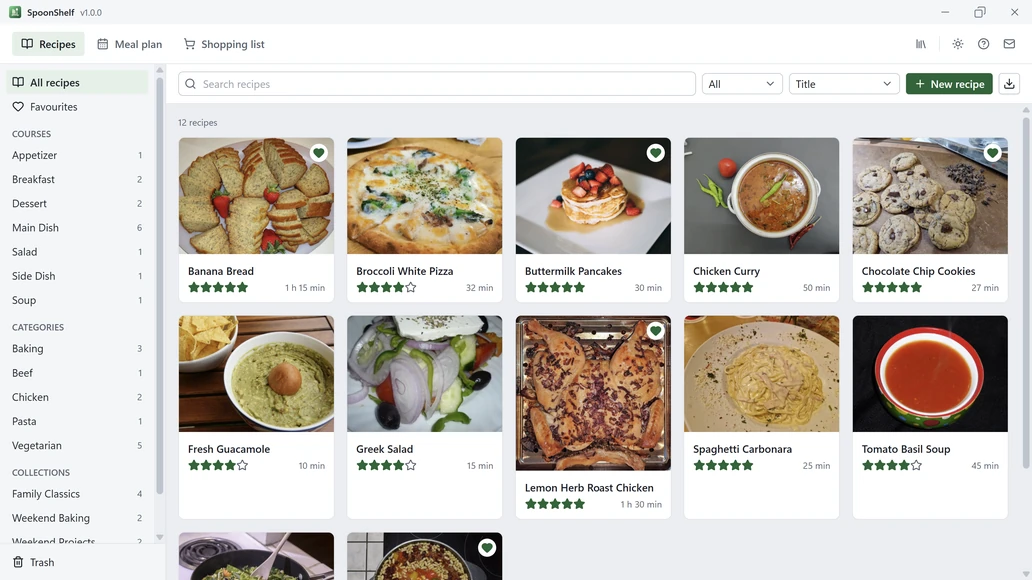
- Keep every recipe with its photos, rating and notes, sorted into courses, categories and collections
- Import a recipe by pasting its web address, from a page saved from your browser, or from pasted text
- Move your recipes over from Paprika or Recipe Keeper with their export file
- Plan your week, let Fill empty dinners fill the gaps, and print the plan or a shopping list grouped by aisle
- Cook mode with large text, one step at a time, ingredients you tick off, and a screen that stays awake
- Scale any recipe and show amounts as written, in US units or in metric
- Three checked automatic backups, a Trash for deleted recipes, and export to a file
- Light and dark themes, switched in one click
Good to know
- The free trial holds up to 25 recipes, counting any in the Trash, with every feature working. Buying removes the limit.
- Web import reads the recipe data most recipe websites include. If a page has none, or the site blocks downloads, paste the recipe as text instead.
- When you import recipes, SpoonShelf downloads the recipe page whose address you paste, and any photo a recipe links to, straight from the site that hosts it. Nothing from your library is sent anywhere.
- SpoonShelf keeps your library on this PC, with no account and no cloud sync. Copy your shopping list to paste it anywhere you like.
Frequently asked questions
Can I import recipes from websites?
Yes. Paste the address of a recipe page and SpoonShelf downloads the recipe and its photo straight from that site. You can also open a page you saved from your browser.
Can I bring my recipes from another app?
Yes. SpoonShelf imports export files from Paprika and Recipe Keeper, recipe .json files and its own exports. Every import shows what came in before it is saved.
What does the free trial include?
Every feature, with up to 25 recipes in your library, counting any in the Trash. Buying removes the limit.
Is SpoonShelf a subscription?
No. It is a one-time purchase with no account.
Are my recipes backed up?
Yes. SpoonShelf keeps three automatic backups, checks each one, and can restore any of them without touching your current library. You can also back up to any folder or export your recipes to a file.
Does it work offline?
Yes. Your library, the planner, the shopping list and cook mode all work offline. Importing from a web address needs a connection.
Your files stay yours
All 15 KS-ByteBox apps do their work on your PC. They have no accounts and no tracking, and they never send your files anywhere. Purchases, licensing and app updates are handled by the Microsoft Store.