

A Private Journal for Your PC, Locked With Your Password
Write in a journal only you can open. ByteJournal keeps your entries in one encrypted file on your PC and never sends your writing anywhere.

- $14.99 one-time
- Free trial
What it does
- One encrypted journal file, opened only by your password or your recovery key
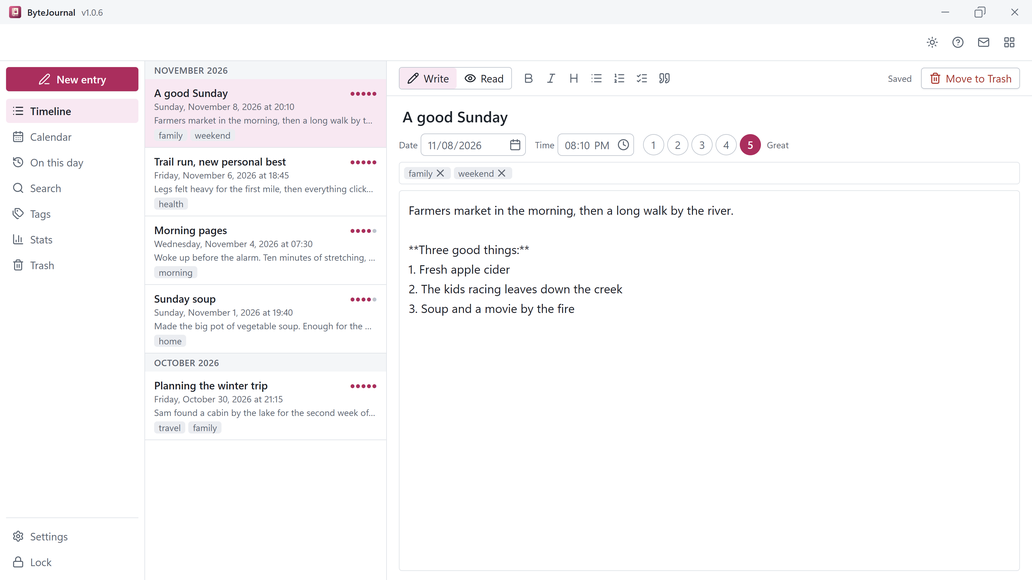
- Headings, bold, italic, lists and checklists, plus a mood and tags on any entry
- Start from a template: Daily reflection, Gratitude, Morning pages, Weekly review or Quick log
- A timeline by month, a calendar of the days you wrote, and On this day for earlier years
- Search titles, text and tags, and see stats for words, days written and streaks
- Auto-lock, checked backups to any folder or drive, and export to Markdown or JSON
- Light and dark themes, switched in one click
Good to know
- The free trial keeps one journal and up to 10 entries. Delete forever and Empty trash need the full version. Buying removes those limits.
- If you lose both your password and your recovery key, nobody can open the journal, including us. Keep the recovery key somewhere safe.
- If you keep your journal in a synced folder such as OneDrive, your sync app uploads the encrypted file. Use the journal on one PC at a time.
- ByteJournal has no account, no cloud sync and no phone app.
Frequently asked questions
Who can read my journal?
Only someone with your password or your recovery key. ByteJournal encrypts every entry with AES-256-GCM and never sends your writing anywhere.
What does the free trial include?
One journal and up to 10 entries. Delete forever and Empty trash need the full version. Buying removes those limits.
Is ByteJournal a subscription?
No. It is a one-time purchase with no account.
What if I forget my password?
Use your recovery key to open the journal and choose a new password. Without both, nobody can open it, including us.
Can I back up or export my entries?
Yes. Make a checked backup to any folder or drive, or export to Markdown or JSON whenever you want.
Does it work offline?
Yes. ByteJournal needs no internet connection to write, read or search your journal.
Your files stay yours
All 14 KS-ByteBox apps do their work on your PC. They have no accounts and no tracking, and they never send your files anywhere. Purchases, licensing and app updates are handled by the Microsoft Store.