

Open OneNote .one Section Files Without OneNote
NotePeek opens .one and .onenote section files with no OneNote installation, no Microsoft account, and no sign in. Read every page: text, images, and tables.

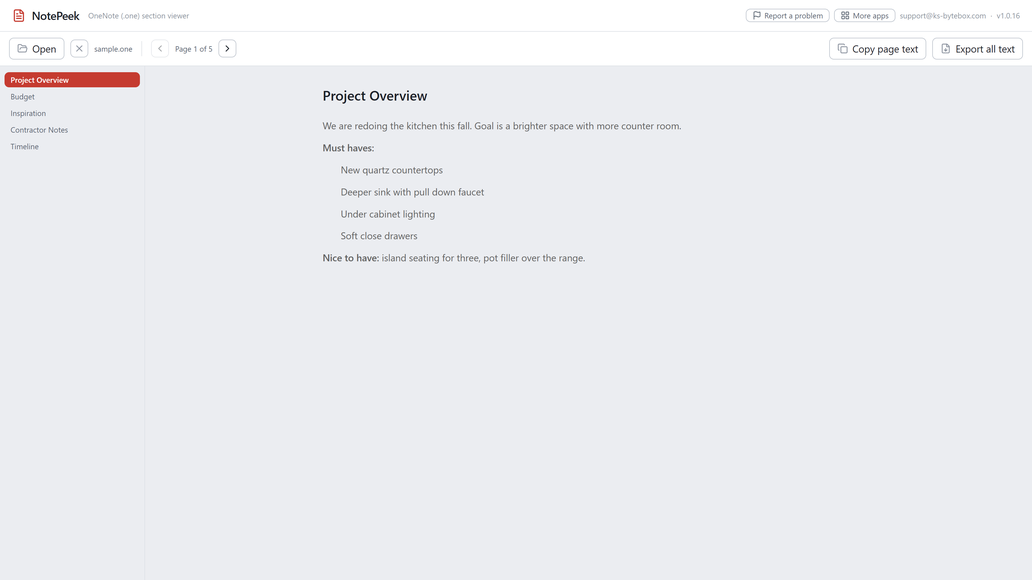
What it does
- Open OneNote .one and .onenote section files without OneNote
- Read every page: formatted text, images, and tables
- Copy any page's text to the clipboard
- Export the whole section as a plain text file
- Read-only and safe: your original file is never modified
Good to know
- Handwritten ink is not shown in this version; pages with ink say so clearly.
- Attachments inside notes are listed by name but not extracted.
- Pages deleted in OneNote can still appear, because OneNote may leave them inside the file.
Frequently asked questions
Can I open a .one file without OneNote installed?
Yes, with no OneNote installation or Microsoft account.
Will my handwritten notes show up?
Not in this version. Typed text, formatting, images and tables render; pages with ink say so clearly instead.
What about attachments inside a note?
Listed by name but not extracted.
Can a page I deleted in OneNote still show up?
Sometimes, yes, because OneNote can leave deleted pages inside the underlying file.
Is my file uploaded anywhere?
No.
Your data stays yours
Every KS-ByteBox app runs entirely on your PC. No accounts, no tracking, and nothing ever leaves your machine. Purchases and licensing are handled by the Microsoft Store.