

Open PageMaker .pmd and .p65 Files Without PageMaker
PageCrate opens Adobe PageMaker 6.0, 6.5 and 7.0 documents on a modern PC: browse every page, copy text, and export PNG or PDF. No PageMaker install, nothing uploaded.

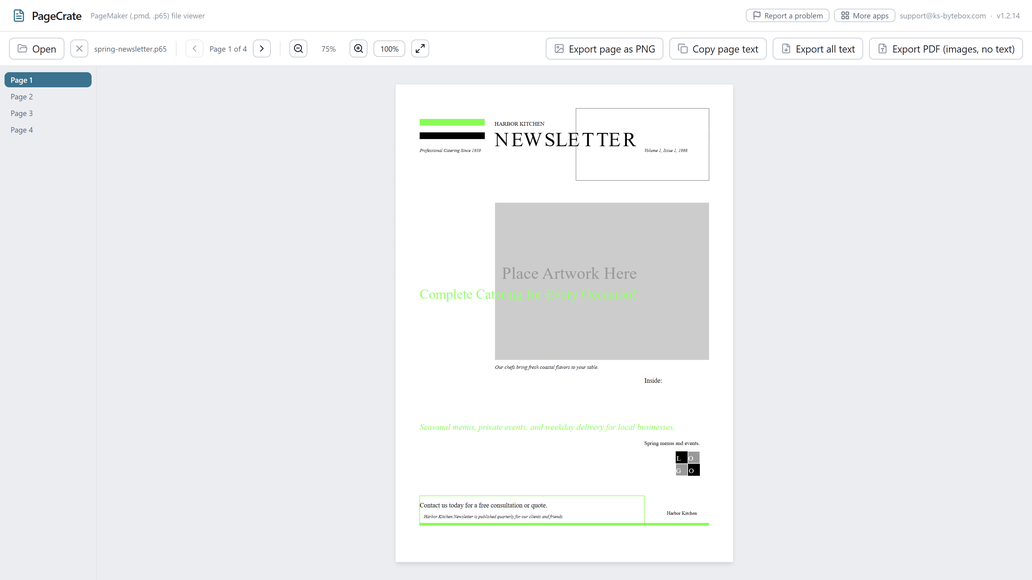
What it does
- Opens PageMaker 6.0, 6.5 and 7.0 files (.pmd, .p65, .pm6) and templates (.pmt, .t65) by drag and drop or file picker
- Browse every page with a page sidebar, zoom controls, and one-click Fit
- Copy any page's text to the clipboard
- Export the whole document's text at once
- Export any page as a PNG image, or the whole document as a PDF
- Read-only: your original file is never modified
Good to know
- Files from PageMaker 5.0 or older, and PageMaker 6.0 templates (.pt6), do not open.
- The PDF export saves each page as a picture, so its text is not selectable or searchable. Use Export all text for the actual words.
- PageCrate is a viewer: it does not edit or save changes back into the PageMaker format.
Frequently asked questions
Can I open a .pmd file without PageMaker installed?
Yes. PageCrate opens PageMaker 6.0, 6.5 and 7.0 files directly; no PageMaker installation is needed.
Can I edit the file in PageCrate?
No. PageCrate is a viewer: it displays every page and lets you copy or export text, but does not edit or save changes back into the PageMaker format.
Is the PDF export searchable?
No. It saves each page as a picture, so the text is not selectable or searchable. Use Export all text for the actual words.
Does it work with older PageMaker versions like .pm6 or .pm5?
Yes for PageMaker 6.0 (.pm6). Files from PageMaker 5.0 or older, like .pm5, do not open, and PageCrate shows a message saying so.
Is my file uploaded anywhere?
No. Everything runs on your PC.
Your files stay yours
All 15 KS-ByteBox apps do their work on your PC. They have no accounts and no tracking, and they never send your files anywhere. Purchases, licensing and app updates are handled by the Microsoft Store.