

Open DXF Drawings Instantly, No CAD Software Needed
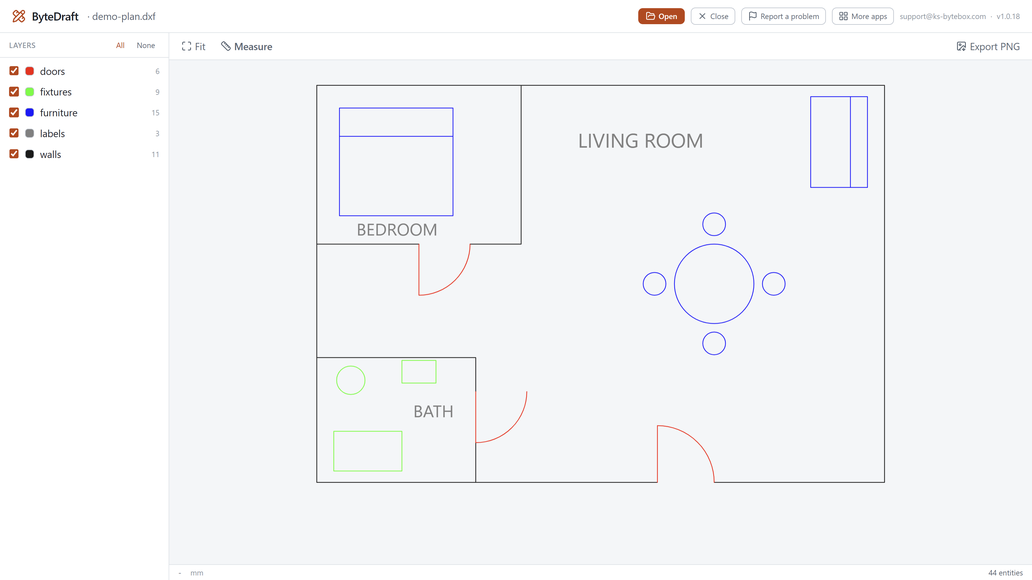
ByteDraft opens .dxf files directly on a fast 2D canvas: pan, zoom, toggle layers with true colors, and measure distances and areas in the drawing's own units.

What it does
- Opens .dxf files by drag and drop or file picker
- Smooth pan, zoom, and fit-to-drawing on a fast 2D canvas
- Layer list with show/hide toggles and true layer colors
- Distance and area measuring in drawing units
- Export the current view as a PNG image
- Recent files for quick reopening
Good to know
- ByteDraft opens DXF only. DWG support is planned as a free update.
Frequently asked questions
Do I need a CAD program installed?
No. ByteDraft opens .dxf files directly with no CAD software required.
Does it open DWG files?
Not yet. Version 1 opens DXF only; DWG support is planned as a free update.
Can I measure distances in the drawing?
Yes. Point-to-point distance and enclosed-area measuring is built in, reported in the drawing's own units.
Can I export what I see?
Yes. The current view exports as a PNG image.
Does my drawing get uploaded anywhere?
No. Everything runs locally on your PC.
Your data stays yours
Every KS-ByteBox app runs entirely on your PC. No accounts, no tracking, and nothing ever leaves your machine. Purchases and licensing are handled by the Microsoft Store.