

Find True Duplicate Files, Verified Byte for Byte
ByteTidy finds real duplicates with cryptographic content hashing, not just file names, plus similar photos and an interactive disk-space treemap. Deletes go to the Recycle Bin only.

- $19.99 one-time
- Free trial
What it does
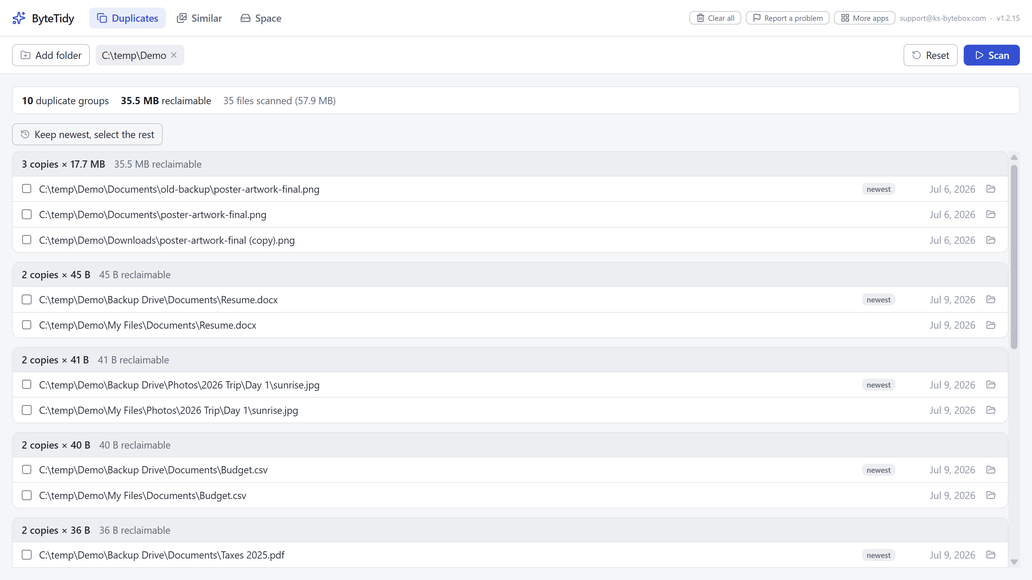
- Find true duplicates: contents compared with cryptographic hashing, not names
- Similar photos: find resized, re-saved, and burst near-duplicates with adjustable strictness
- Keep newest, select the rest: one-click cleanup decisions
- Deletes only to the Recycle Bin; every cleanup can be undone
- Space view: interactive treemap shows what is eating your drive
- OneDrive-safe: online-only files are never downloaded during scans
Good to know
- Symbolic links and junctions are never followed, so nothing is counted or deleted twice.
Frequently asked questions
How does ByteTidy avoid false positives?
Files are compared by their actual content using cryptographic hashing, never just by name or date, so a group only appears when the files are truly identical.
Can it find similar photos, not just exact duplicates?
Yes, perceptual matching finds resized, re-saved or re-compressed near-duplicates, with a Strict, Normal or Loose setting you choose.
Are deleted files gone for good?
No. Everything goes to the Recycle Bin, never permanent deletion, so cleanup can always be undone.
Will it download my OneDrive files during a scan?
No. Online-only cloud files are recognized and skipped, never downloaded.
Does it work on Windows 11?
Yes.
Your data stays yours
Every KS-ByteBox app runs entirely on your PC. No accounts, no tracking, and nothing ever leaves your machine. Purchases and licensing are handled by the Microsoft Store.