

Turn Images Into Searchable Text, Completely Offline
ScanScribe extracts text from scans, screenshots and photos entirely on your PC. Build searchable PDFs or copy text straight from the image. Nothing is uploaded.

- $9.99 one-time
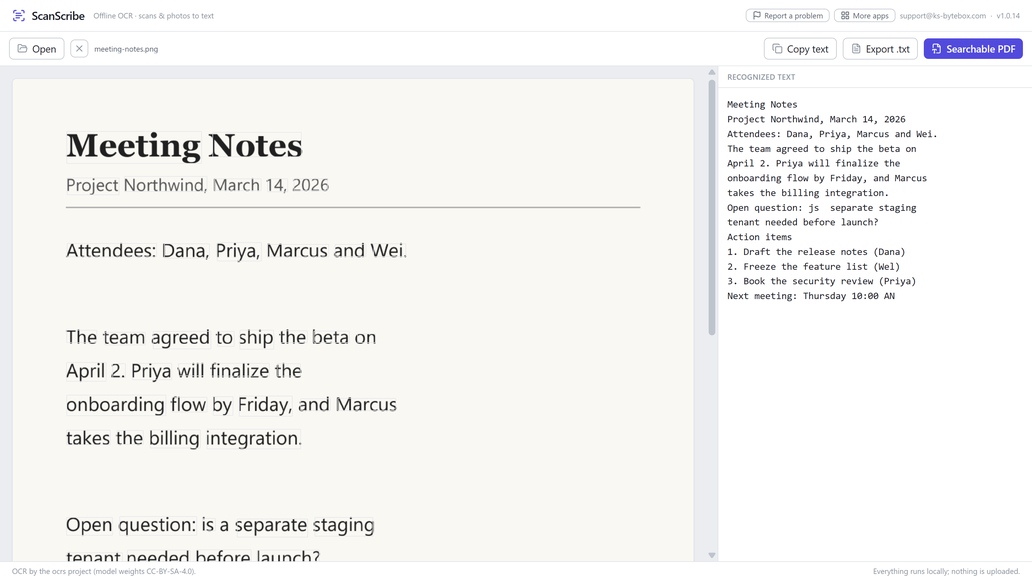
What it does
- Extract text from images, scans, screenshots, and photos
- Build searchable PDFs that look like the scan but have selectable, findable text
- Copy all the text at once, or click a single word to copy it
- Save recognized text as a .txt file
- Auto-rotates sideways and upside-down scans before reading
- 100% offline: recognition runs on your PC, nothing is uploaded
Good to know
- Accepts PNG, JPG, TIFF, BMP and WebP images. Best results come from clear, printed text.
Frequently asked questions
Does ScanScribe need an internet connection?
No. Recognition runs entirely on your PC using models bundled in the app; it works fully offline.
What is a searchable PDF?
A PDF that looks identical to your original scanned image but has an invisible, selectable text layer underneath, so you can search, highlight and copy from it like a normal document.
What file types does it accept?
PNG, JPG, TIFF, BMP and WebP images.
What if my photo is sideways or upside down?
ScanScribe detects the orientation automatically and straightens the text before reading it.
Is my document ever sent anywhere?
No. Nothing is uploaded; everything stays on your PC.
Your data stays yours
Every KS-ByteBox app runs entirely on your PC. No accounts, no tracking, and nothing ever leaves your machine. Purchases and licensing are handled by the Microsoft Store.