

Xbox Controller and Bluetooth Battery Levels in Your Tray
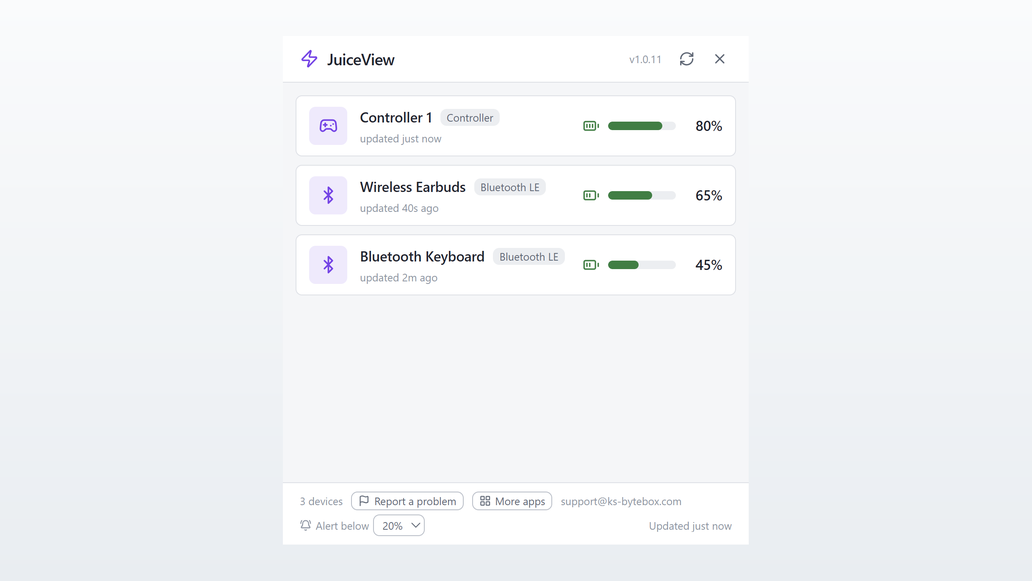
JuiceView lives in your system tray and shows the battery level of your Xbox controllers and Bluetooth devices, with a desktop alert before one dies.

- $2.99 one-time
What it does
- Battery levels for Xbox controllers and Bluetooth LE devices in one popup
- Low-battery alert at a level you choose: 10, 15, 20, 25 or 30 percent
- Lives in the system tray; one click to check, zero clutter
- Auto-refresh every 60 seconds plus instant manual refresh
- Close hides to tray; quit only from the tray menu
Good to know
- Classic (non-LE) Bluetooth devices that do not expose the standard battery service cannot be read, a limitation of the device itself.
Frequently asked questions
Which controllers does JuiceView support?
Xbox (XInput) controllers, wired or wireless, plus Bluetooth LE devices that expose a standard battery service, such as headsets, mice, keyboards and gamepads.
How often does the battery level update?
Automatically every 60 seconds, plus an instant manual refresh any time.
Can it warn me before a controller dies?
Yes. Pick an alert level and JuiceView shows a desktop notification once when a device drops below it, then re-arms after that device recharges.
Does it work with classic (non-LE) Bluetooth devices?
Only if the device reports battery over the standard interface JuiceView reads. Devices that do not expose it cannot be read, a limitation of the device itself.
What happens if I close the window?
JuiceView keeps running in the tray; closing only hides the popup. Quit from the tray menu to fully exit.
Your data stays yours
Every KS-ByteBox app runs entirely on your PC. No accounts, no tracking, and nothing ever leaves your machine. Purchases and licensing are handled by the Microsoft Store.