

Read .eml, .msg and Outlook .pst Files Without Outlook
MailCrate opens saved email files and Outlook .pst archives with no mail account, no import, and no Outlook installed. Sanitized, sandboxed viewing built for untrusted mail.

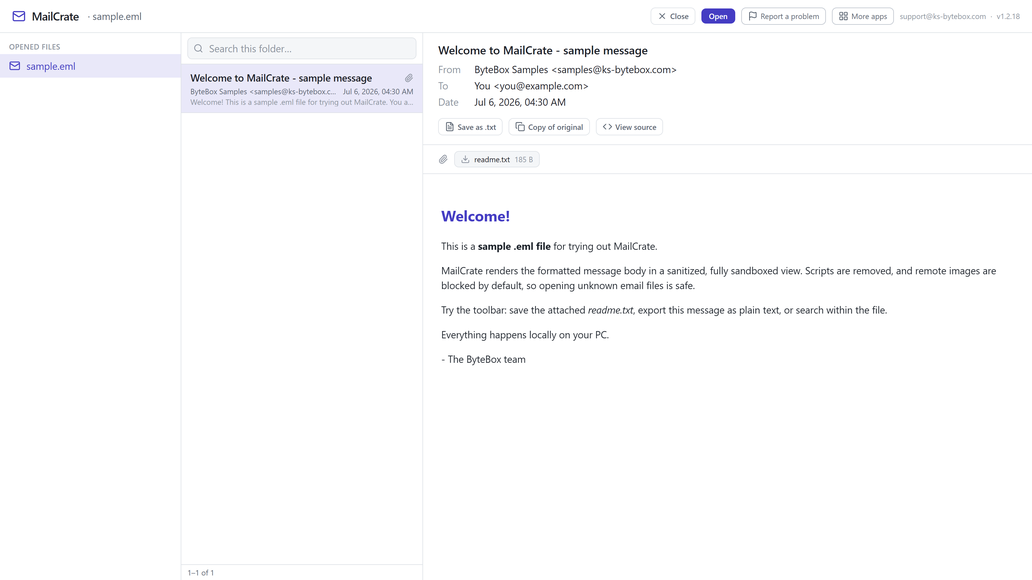
What it does
- Opens .eml, Outlook .msg, and .pst files by drag and drop or file picker
- Outlook .pst archives: folder tree, search, and message lists sorted newest first
- Sanitized, sandboxed viewing: scripts and tracking neutralized
- Remote images blocked by default with per-message opt-in
- Save attachments to disk with one click
- Search, plain-text export, and copy-of-original
Good to know
- Orphaned .ost files open on a best-effort basis; support depends on the file's Outlook version.
- Archives are read-only: MailCrate never modifies your file.
Frequently asked questions
Can I open a .pst file without Outlook installed?
Yes. MailCrate opens Outlook .pst archives and browses them like a mailbox, with a full folder tree and search, no Outlook required.
Is it safe to open email from an unknown source?
MailCrate sanitizes message HTML and renders it in an isolated sandbox with scripts and navigation disabled, and blocks remote images by default.
Does it work with .ost files?
On a best-effort basis; support depends on the file's Outlook version.
Can I save attachments?
Yes, any attachment saves to disk with one click.
Does MailCrate modify my original file?
No, archives and message files are opened read-only.
Your data stays yours
Every KS-ByteBox app runs entirely on your PC. No accounts, no tracking, and nothing ever leaves your machine. Purchases and licensing are handled by the Microsoft Store.